TestGrid provides detailed execution reports that help you analyze automation runs, identify failures, and troubleshoot issues efficiently. From the execution results page, you can review test status, step-level execution details, logs, screenshots, and execution videos.
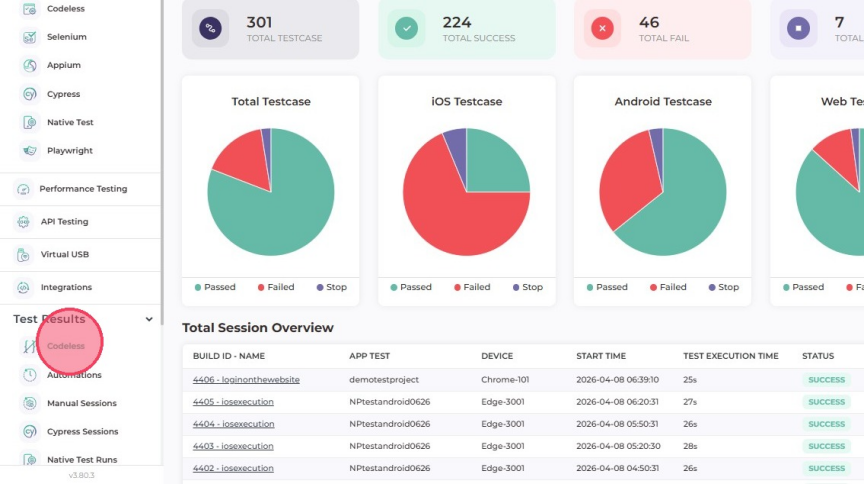
- The detailed test results are available in Test results section,
click on the Codeless option as shown in the image
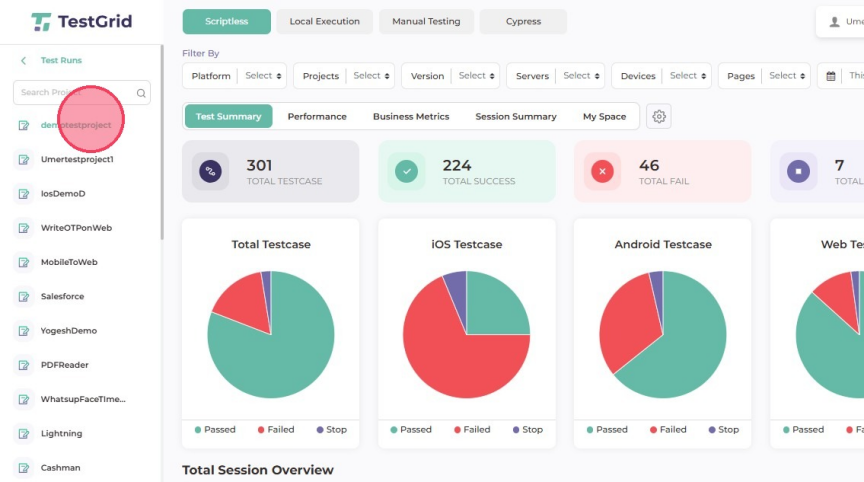
- select you're project
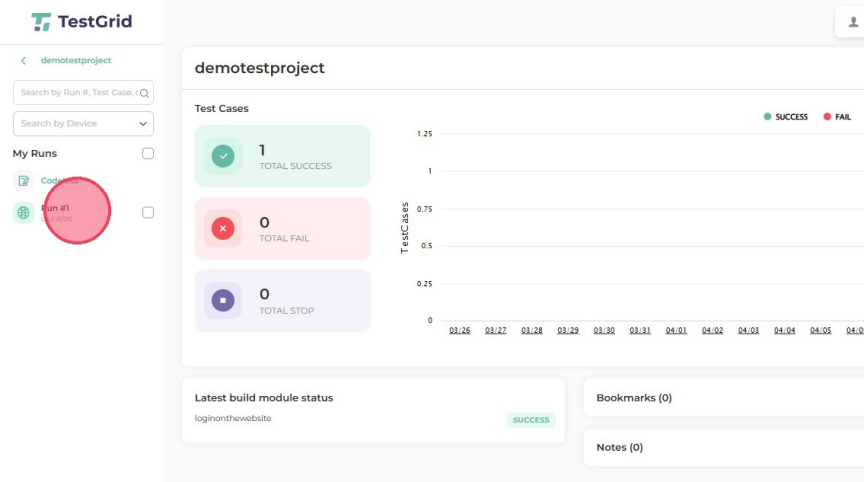
- Select Run for which you want to see the test results
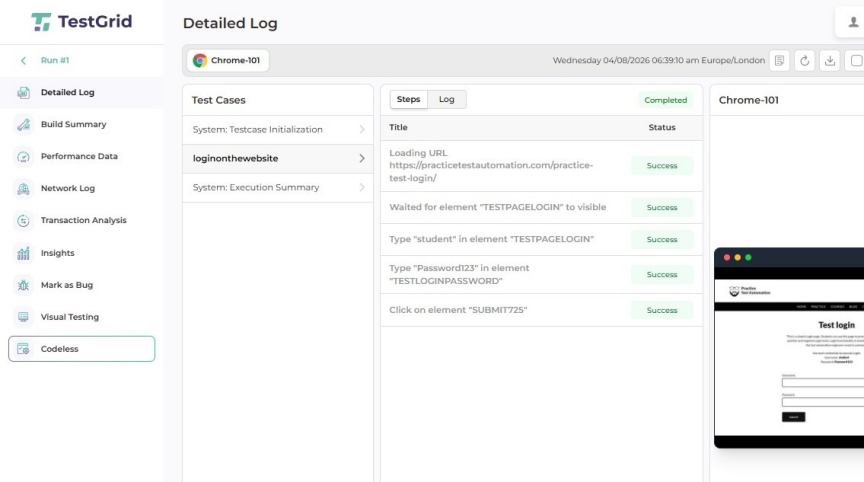
- Select the test case for which you want to see the detailed logs
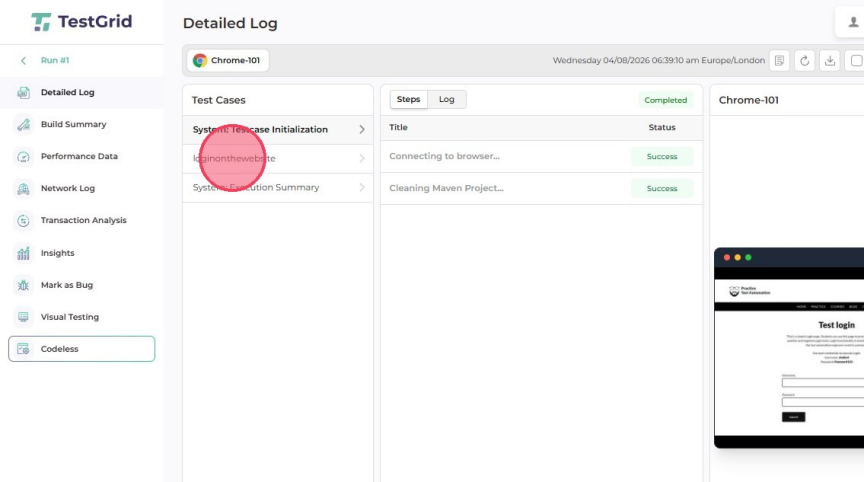
- Detailed steps and logs are visible along with the screenshot
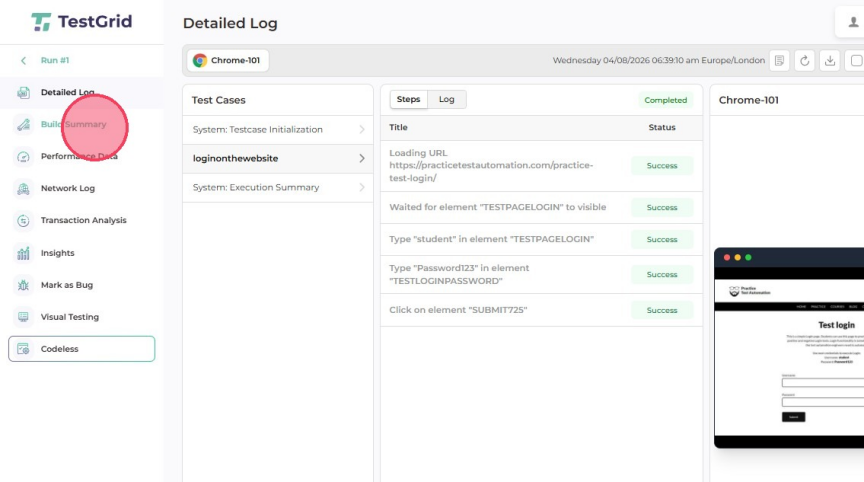
- To see the summarized view, click on "BuildSummary"
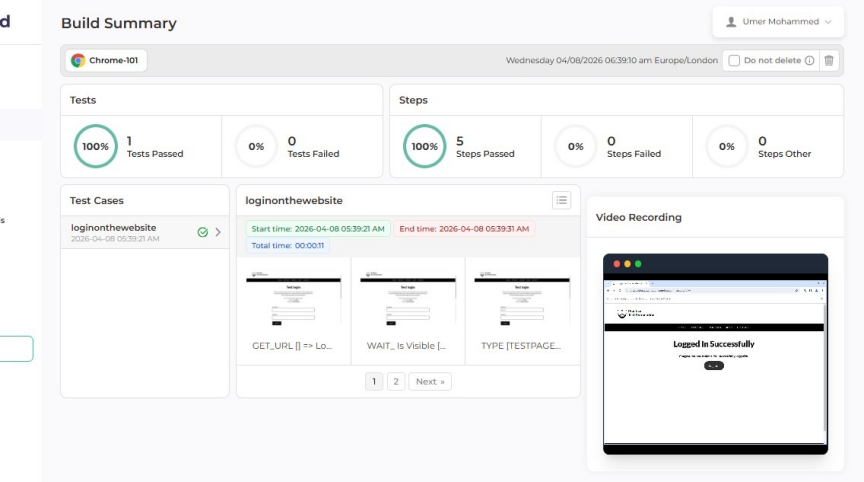
- summarized view of the tests passed, steps passed and also video recording of the test case
Was this article helpful?
That’s Great!
Thank you for your feedback
Sorry! We couldn't be helpful
Thank you for your feedback
Feedback sent
We appreciate your effort and will try to fix the article