Overview
This article helps resolve situations where a website is publicly accessible in a browser but cannot be accessed during automation execution. One common cause of this issue is third-party cookies being blocked by the browser.
Prerequisites
Access to the browser settings on the execution machine.
Administrative permissions to modify browser privacy settings (if required).
The website is publicly accessible and loads successfully when opened manually.
Symptoms
You may observe one or more of the following:
The website fails to load during automation execution.
Login or authentication pages do not function as expected.
The application redirects repeatedly without loading the intended page.
Certain website elements fail to load during test execution.
Possible Cause
Some websites rely on third-party cookies for authentication, session management, embedded content, or cross-site communication. If third-party cookies are blocked, automation execution may be unable to access or interact with the website correctly.
Resolution
For Google Chrome
Step 1: Open Chrome Settings
Click the Chrome menu and select Settings.
Step 2: Open Privacy and Security
From the left navigation menu, select Privacy and Security.
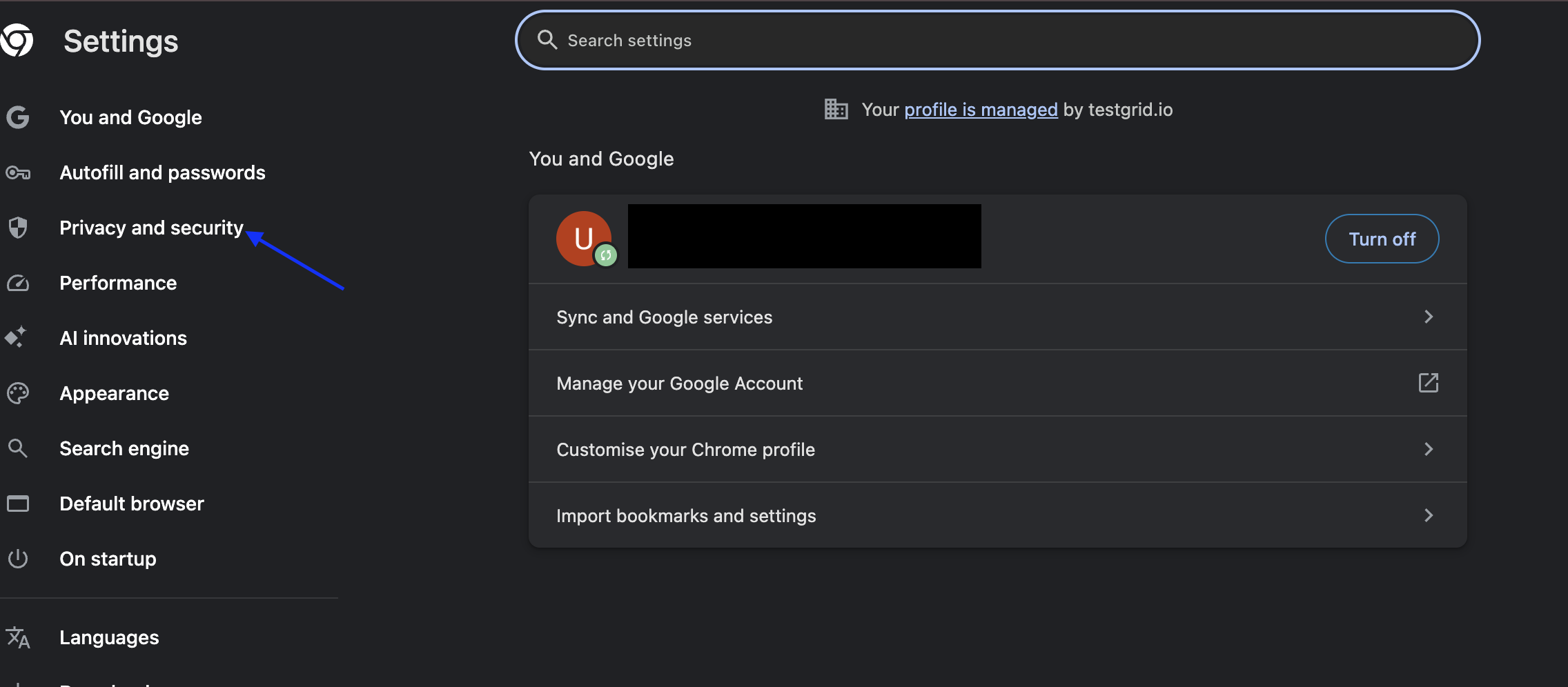
Step 3: Open Third-Party Cookie Settings
Click Third-party cookies
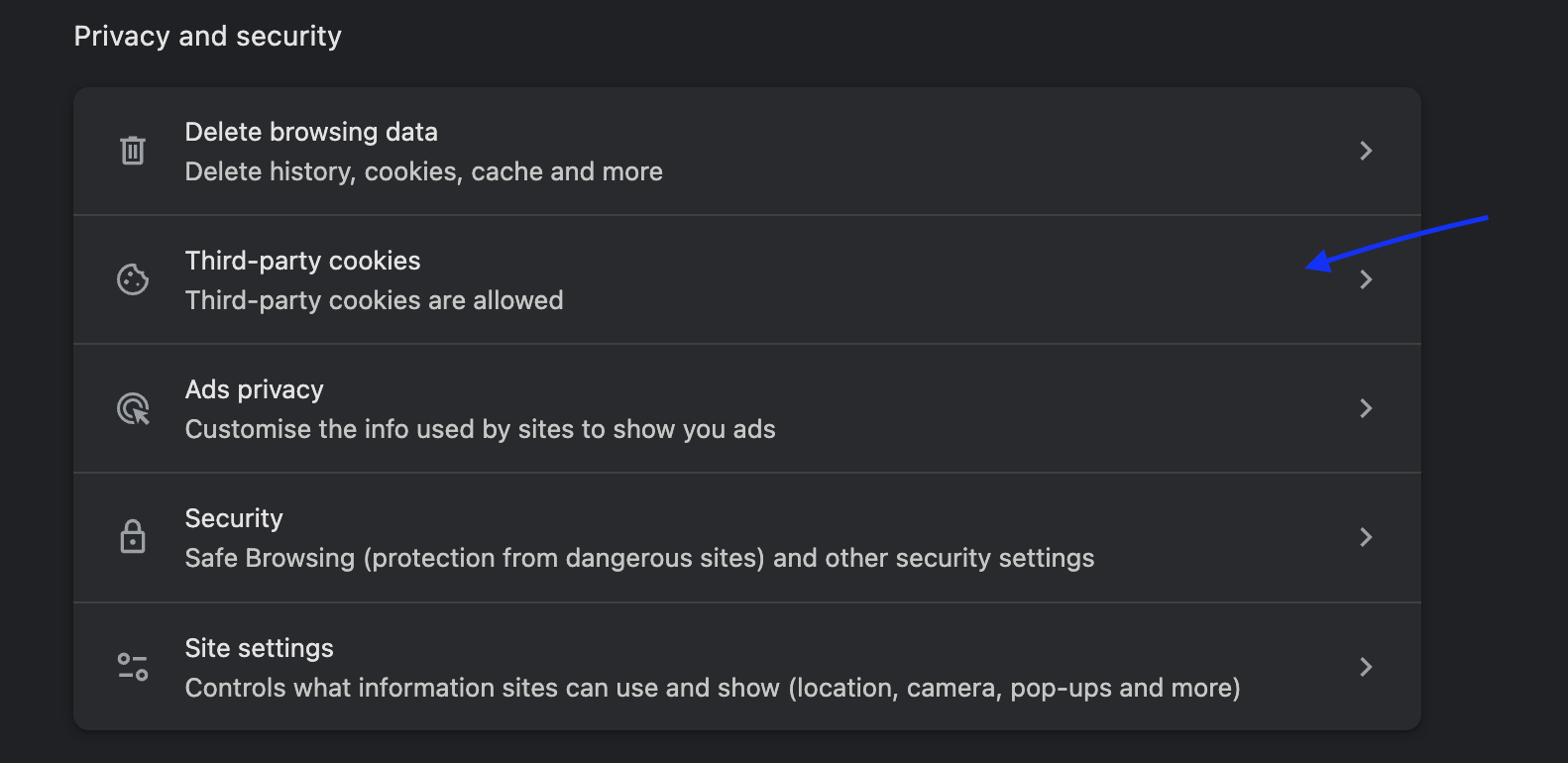
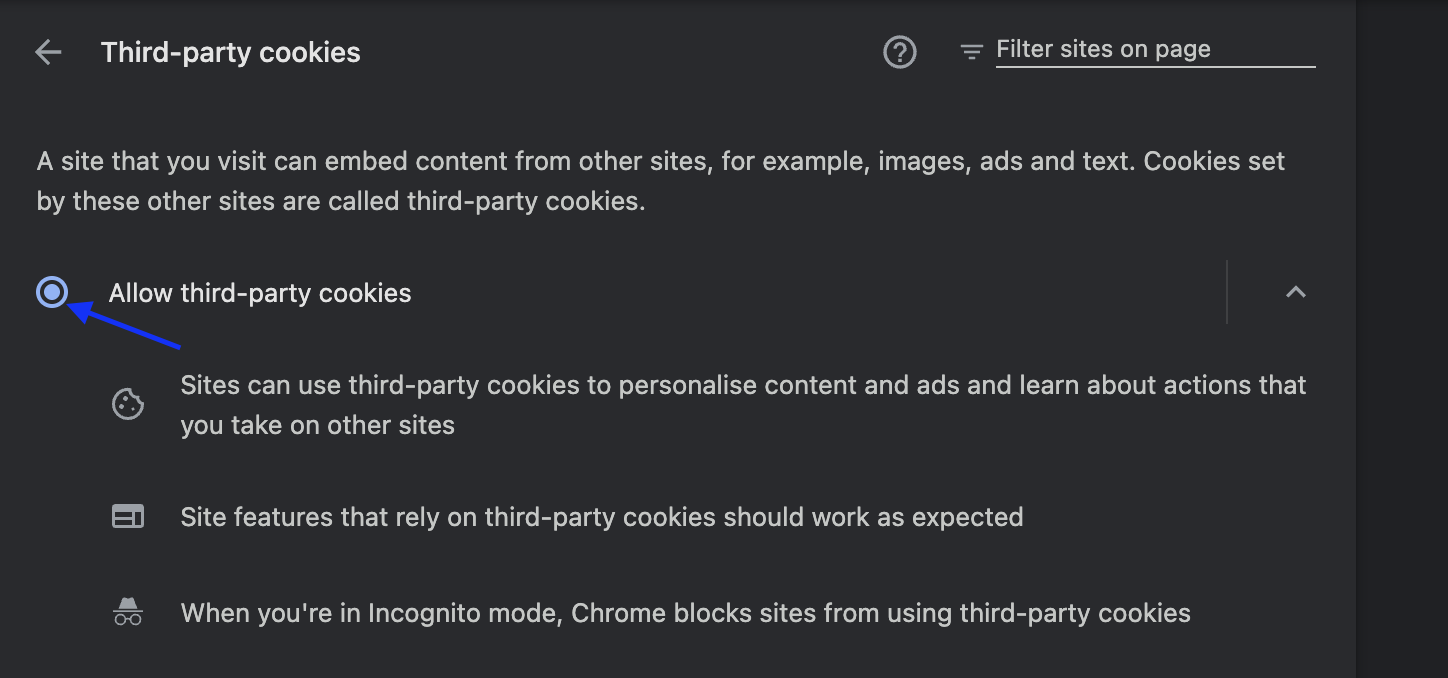
Step 4: Allow Third-Party Cookies
Select Allow third-party cookies.
For Safari
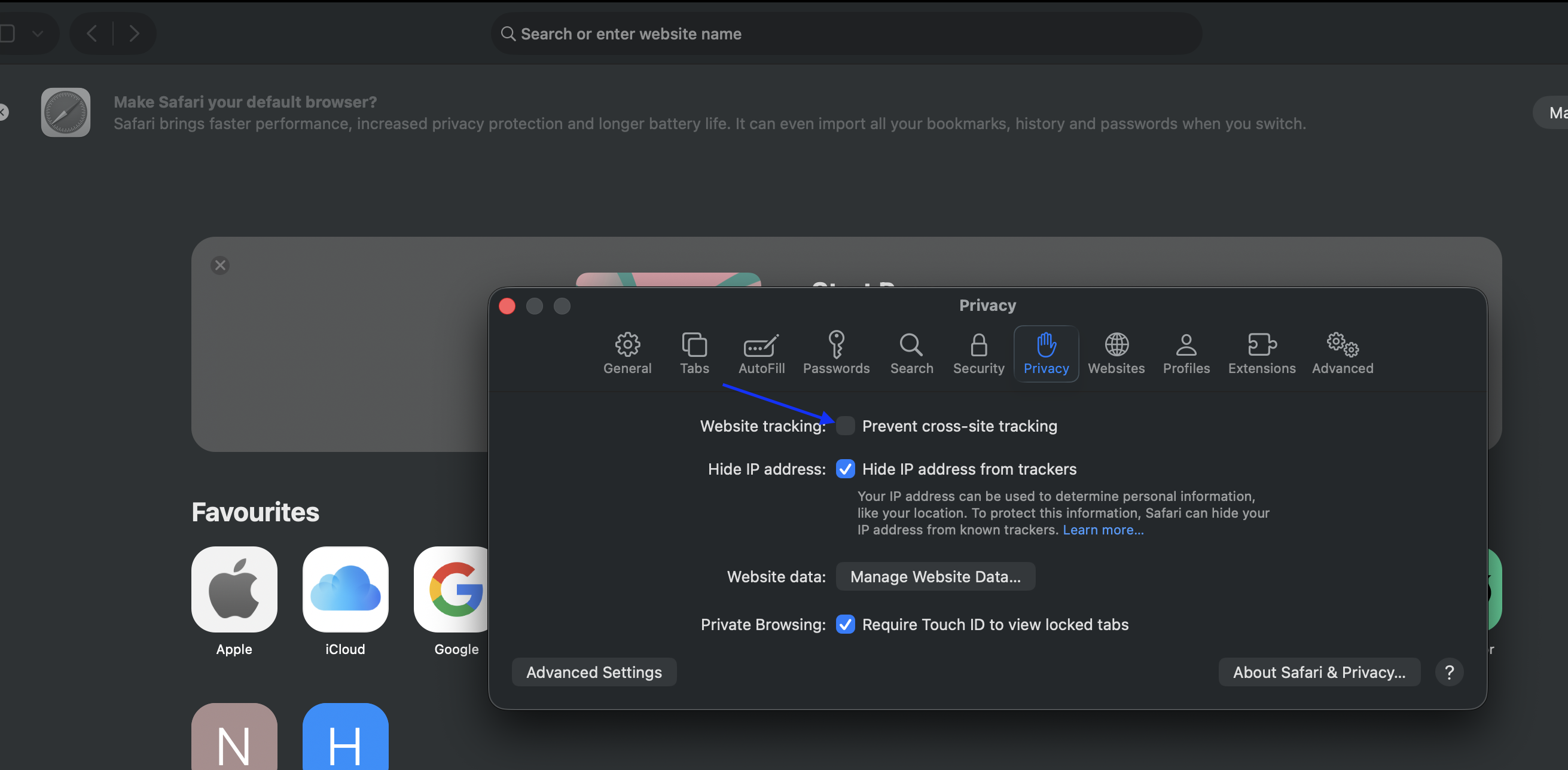
Step 1: Open Safari Settings
Click Safari from the menu bar and select Settings.
Step 2: Open Privacy Settings.
Disable Cross-Site Tracking Prevention
Causes & Fixes
| Issue | Possible Cause | Resolution |
|---|---|---|
| Website inaccessible during automation | Third-party cookies blocked | Enable third-party cookies |
| Login page repeatedly redirects | Session cookies not being stored | Allow third-party cookies |
| Authentication fails during execution | Browser privacy restrictions | Adjust cookie settings |
Outcome
After enabling third-party cookies (or disabling cross-site tracking restrictions in Safari), the website should be accessible during automation execution, allowing tests to run successfully.
Was this article helpful?
That’s Great!
Thank you for your feedback
Sorry! We couldn't be helpful
Thank you for your feedback
Feedback sent
We appreciate your effort and will try to fix the article