Overview
This guide explains how to create and use Global Variables in test cases.
By leveraging Global Variables, you can pass variable values as inputs to test functions, making test automation more flexible, reusable, and maintainable.
Prerequisites
Access to TestGrid Portal & Codeless Automation.
Steps
Step 1: Create a Global Variable
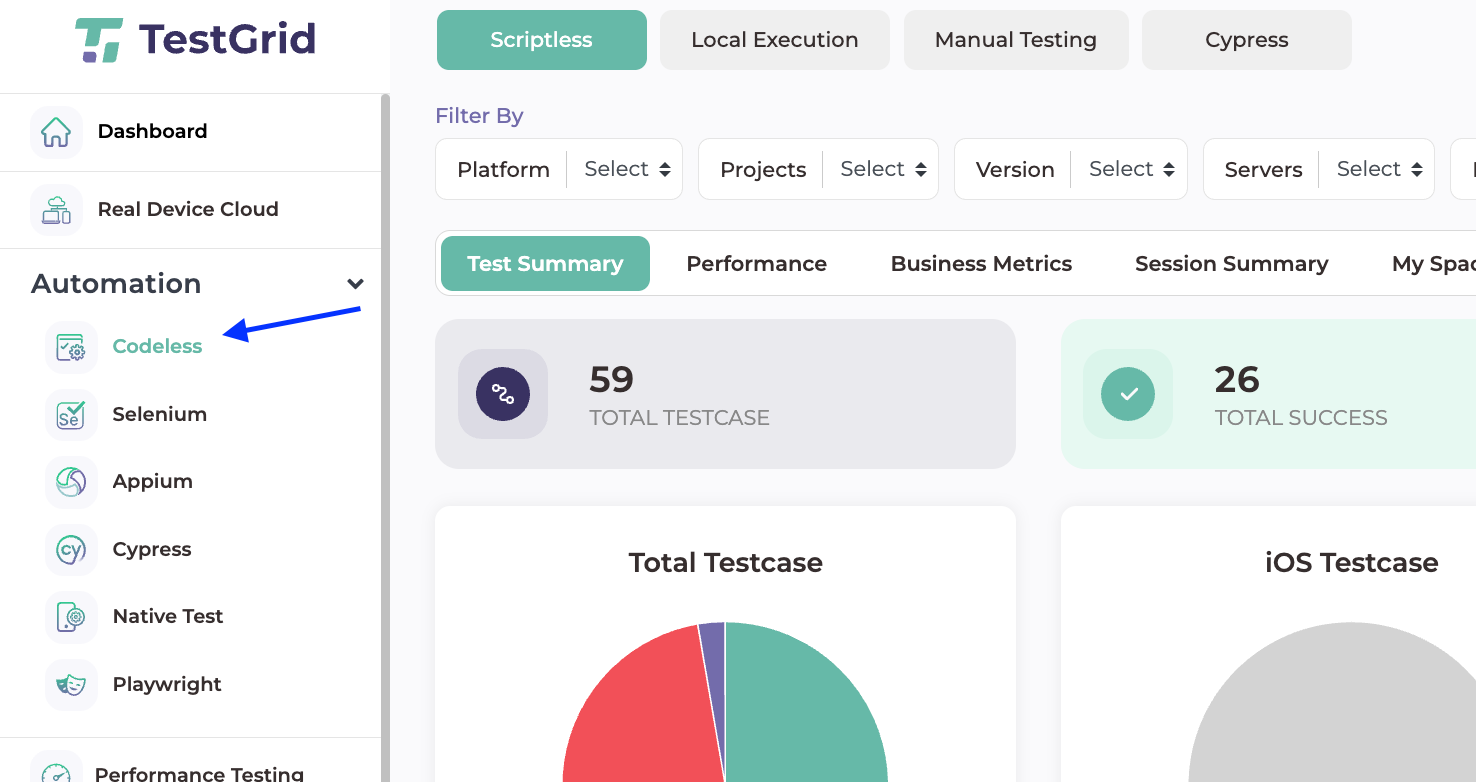
Navigate to Codeless
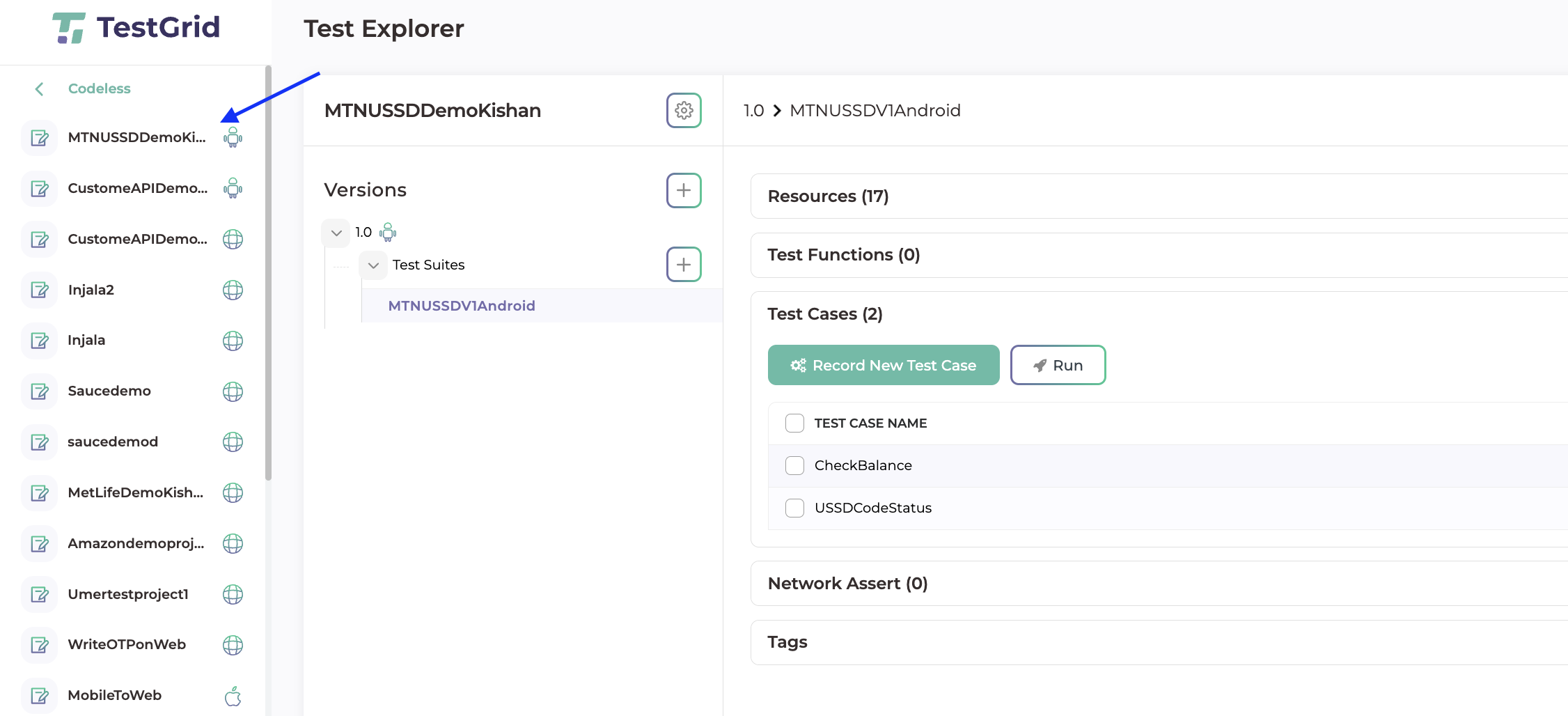
Select your project
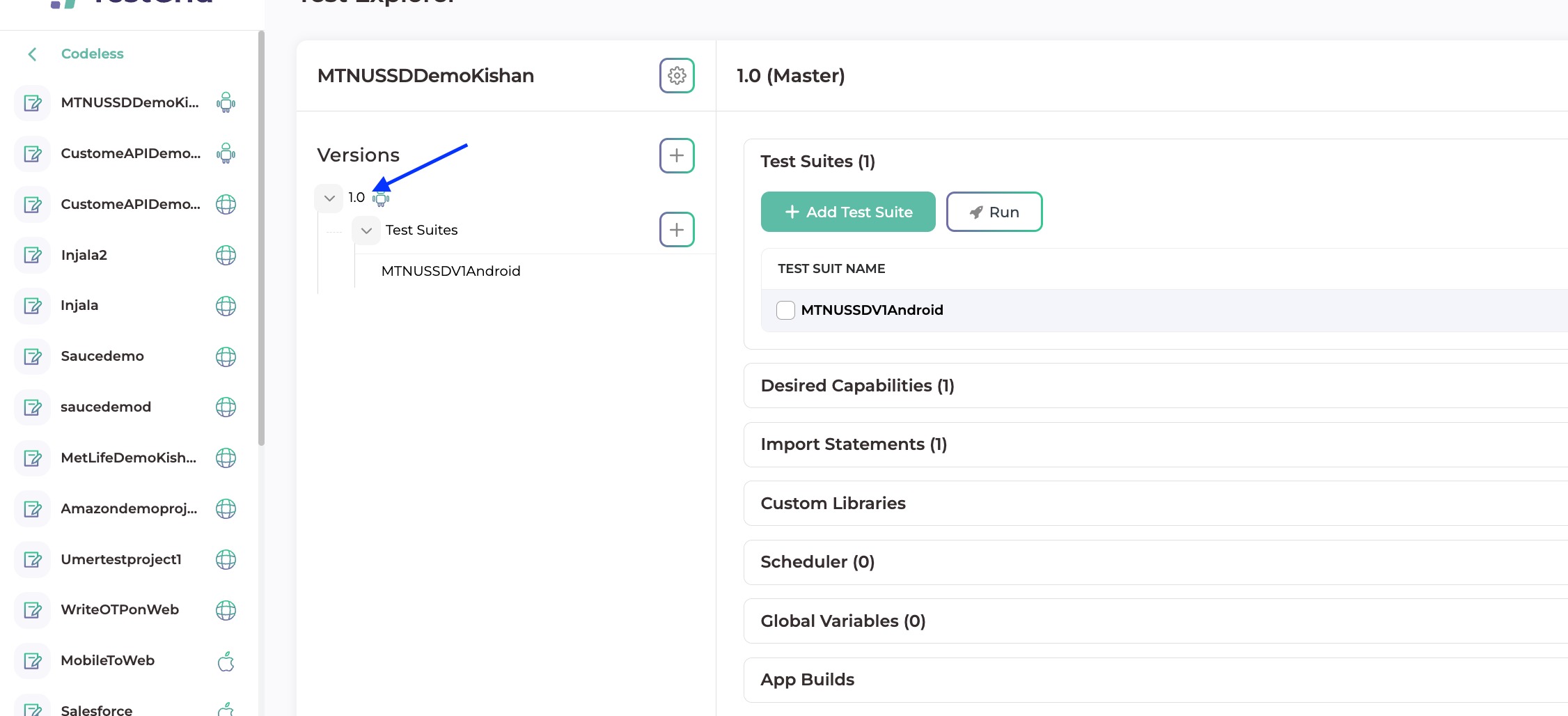
Click on the Version number
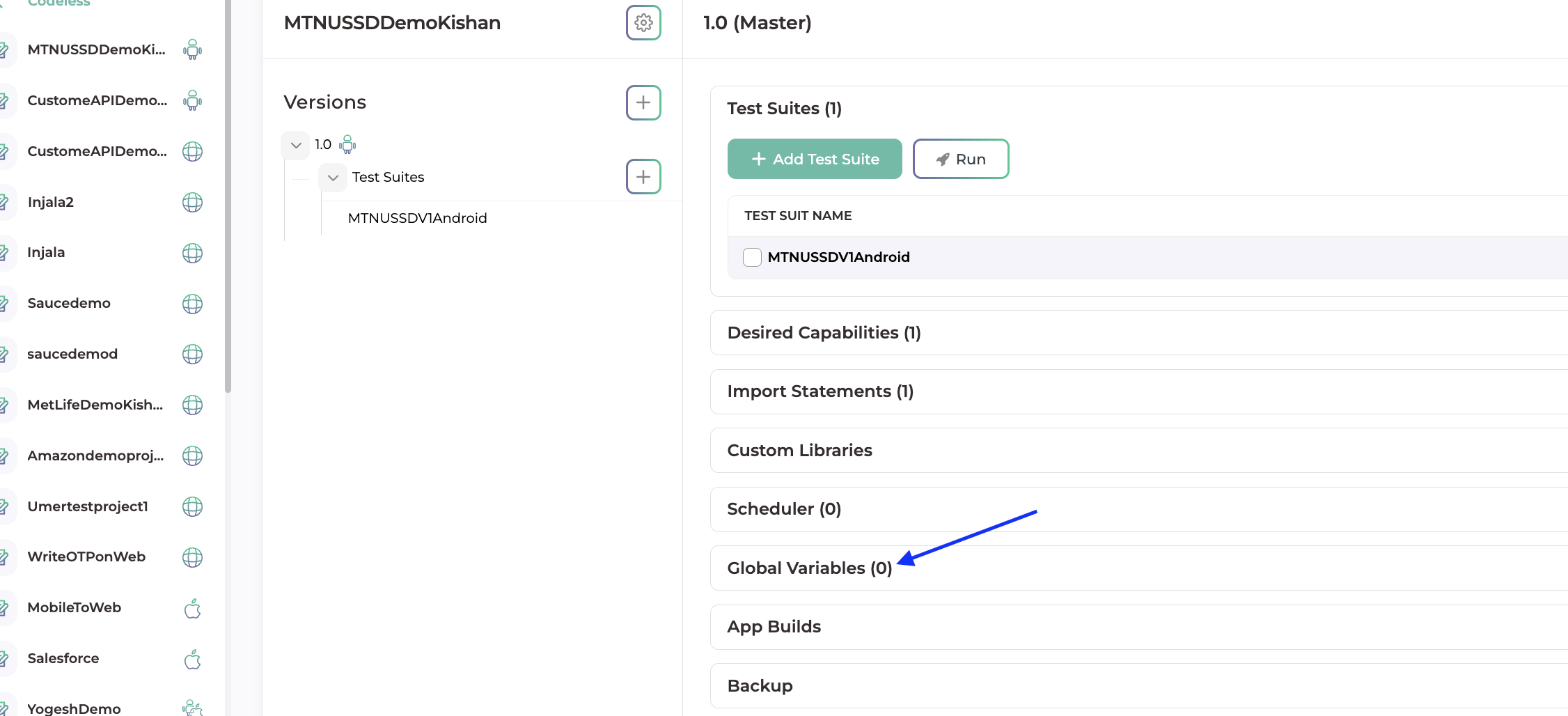
Select Global Variables
Select Add variablle
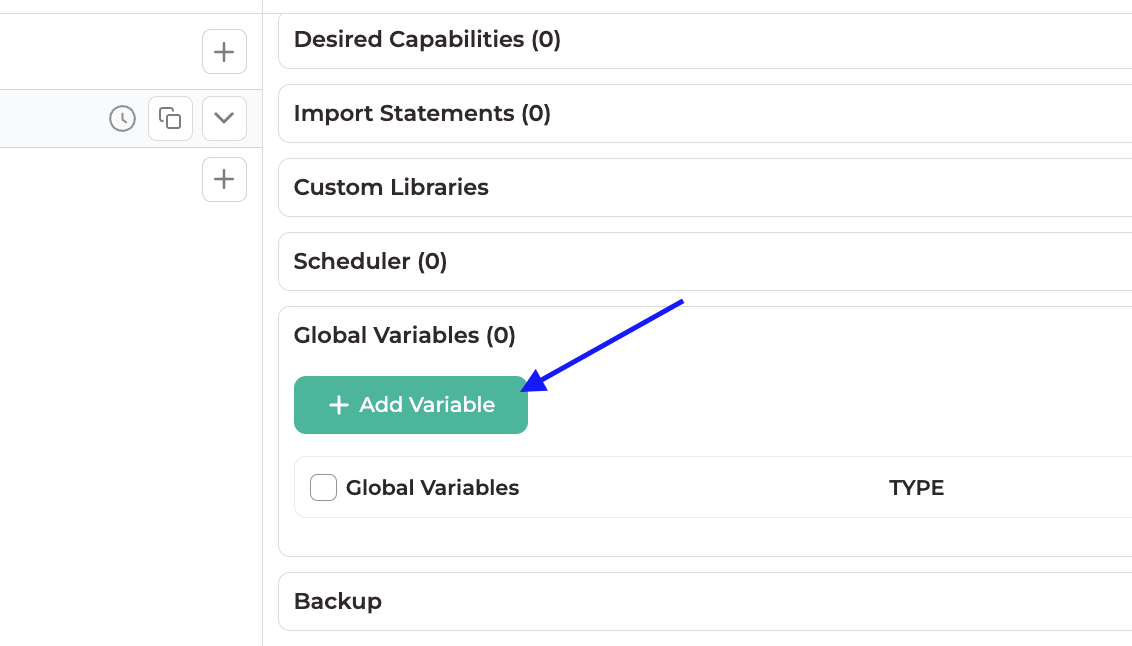
Select Type - Integer, Double or String
Variable Name - Enter the name of the variable
Variable Value - Value that you want the variable to hold
After filling these out click on Add Variable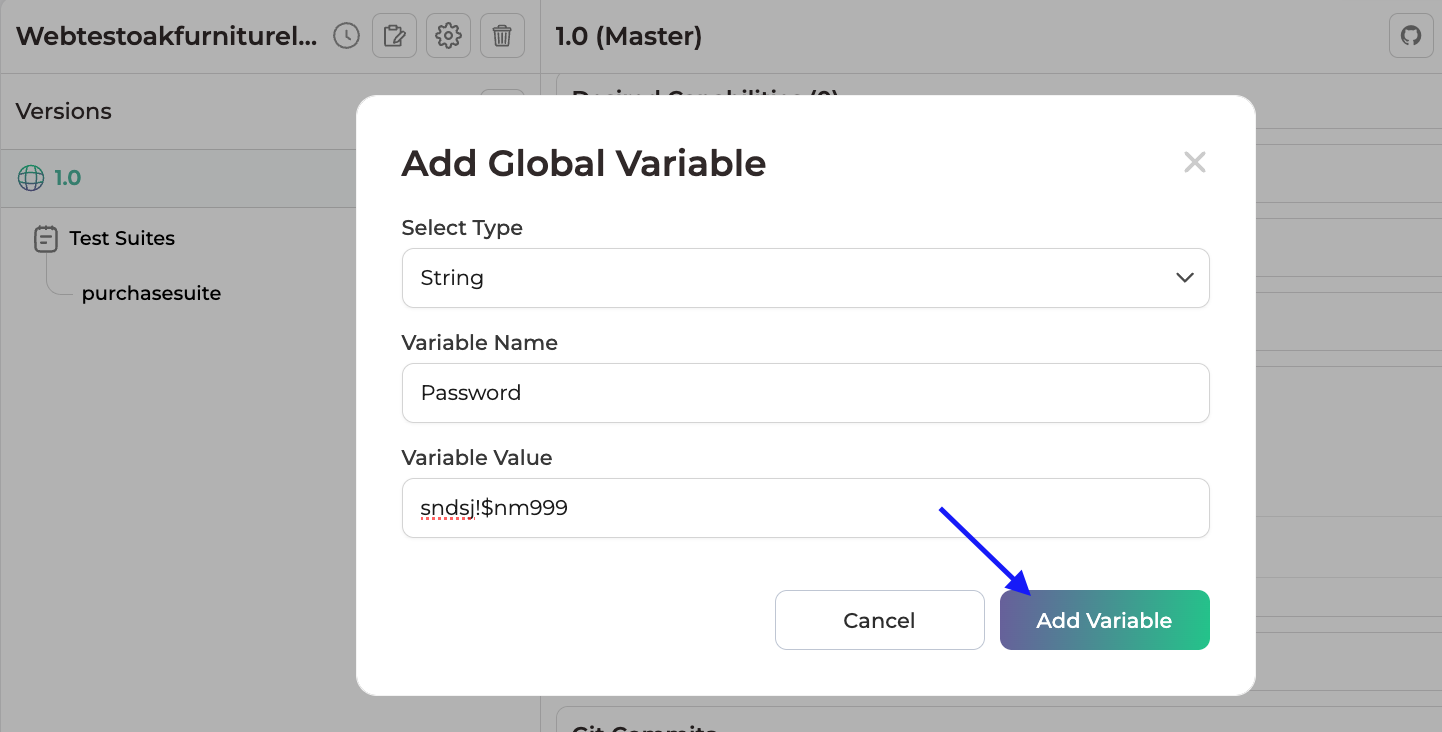
Step 2: Select the variable in the test case or test function
Reference the saved Global Variable wherever dynamic input is required.
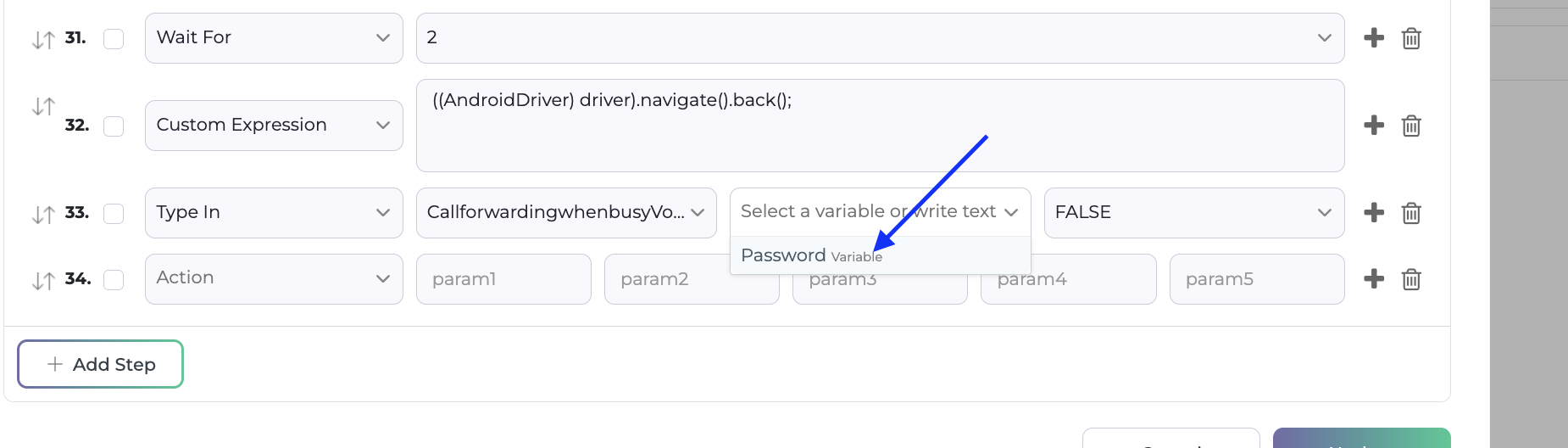
The stored value will be substituted automatically during execution.
Best Practices
✔ Use meaningful variable names that clearly identify the stored data
✔ Reuse variables across multiple test cases and test functions where applicable.
Global Variables can be used to store data from and pass those values in test functions or test case. This enables scalable, reusable, and data-driven test automation within TestGrid.
Was this article helpful?
That’s Great!
Thank you for your feedback
Sorry! We couldn't be helpful
Thank you for your feedback
Feedback sent
We appreciate your effort and will try to fix the article