Overview
This guide explains how to remove the Apple ID from an iPhone or iPad. Depending on your access and requirements, you can remove the Apple ID directly from the device, sign out from the App Store, or remotely disassociate the device from the Apple account.
Prerequisites
Physical access to the iPhone or iPad (for device-based methods).
Apple ID credentials, if prompted.
Administrative approval to remove the TestGrid Prime Apple ID.
Ensure any required data is backed up before performing a device reset.
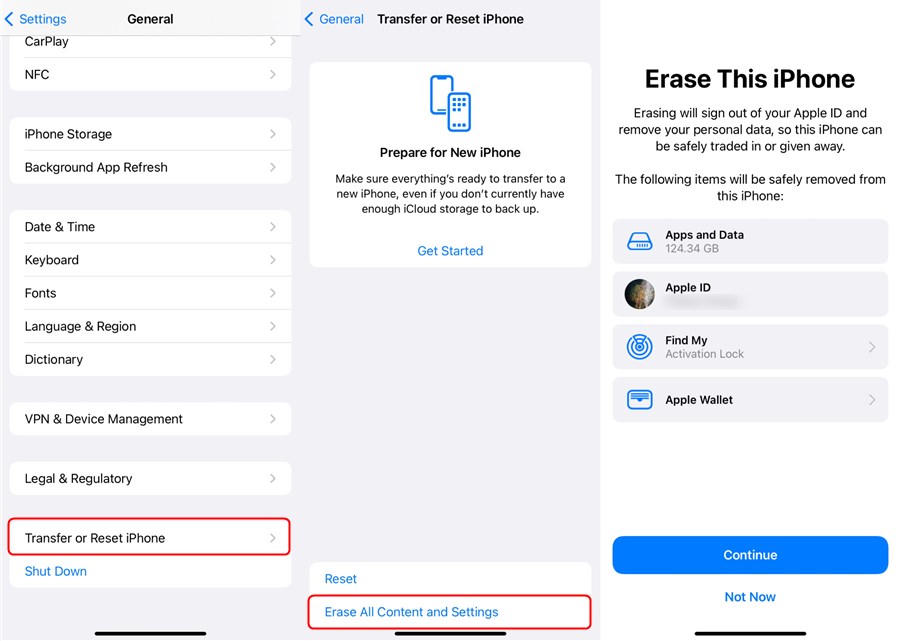
Method 1: Remove Apple ID by Resetting the Device
Step 1: Open Settings
On the iPhone or iPad, navigate to:
Settings → General
Step 2: Open Reset Options
Scroll down and select:
Transfer or Reset iPhone/iPad
Step 3: Erase Device Content
Select:
Erase All Content and Settings
Method 2: Remove Apple ID from the App Store
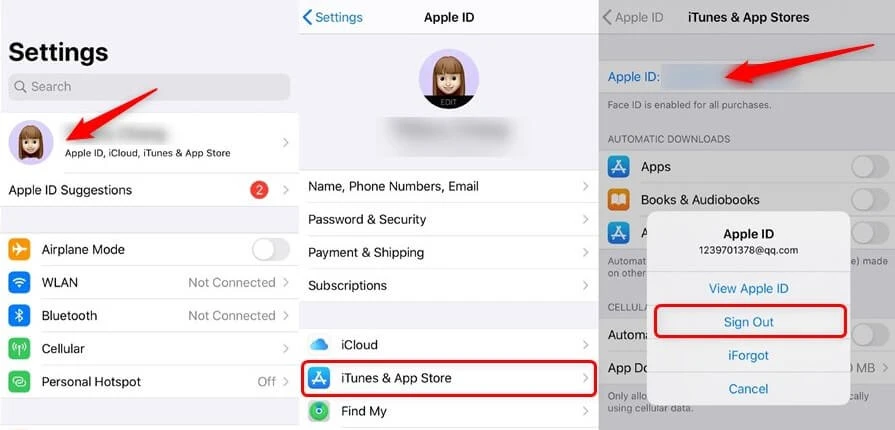
Step 1: Open Settings
Navigate to:
Settings → Apple ID Profile
Step 2: Sign Out of iCloud
Select:
iCloud → Sign Out
Tap Sign Out again to confirm.
If prompted, enter the Apple ID password.
Step 3: Open App Store Settings
Navigate to:
Settings → iTunes & App Store
Step 4: Sign Out
Tap the Apple ID displayed on the screen and select Sign Out.
Method 3: Remove the Device Remotely
Step 1: Open Apple Music or Apple TV
On a Mac or Windows PC:
Open the Apple Music app or Apple TV app.
Sign in using the Apple ID associated with the device.
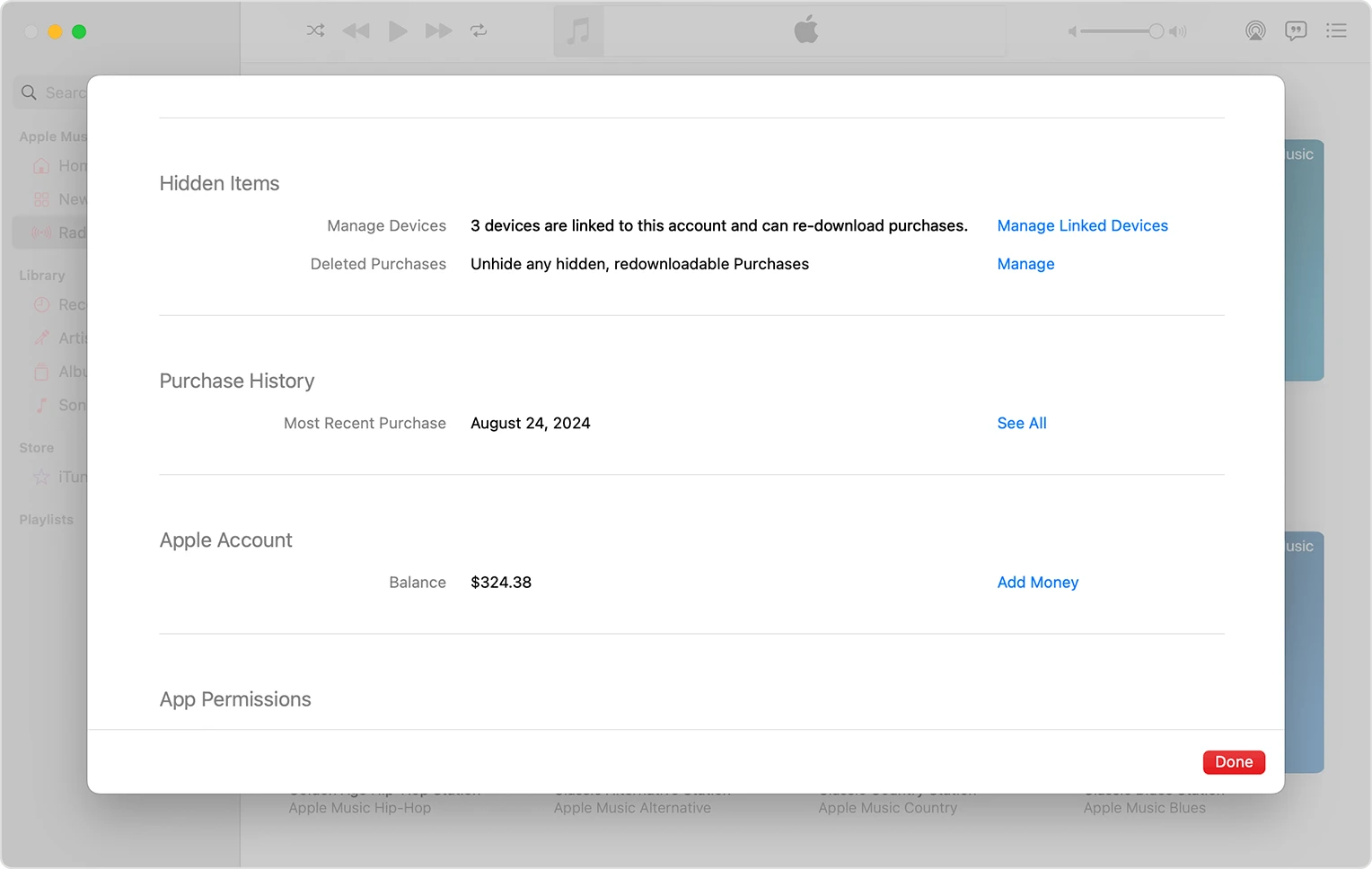
Step 2: Open Linked Devices
Navigate to:
Account → Account Settings → Manage Linked Devices
Step 3: Remove the Device
Locate the required device and click Remove.
Note: If the device cannot be removed immediately, sign out from the device first and retry. In some cases, Apple may require a waiting period before associating the device with another Apple ID.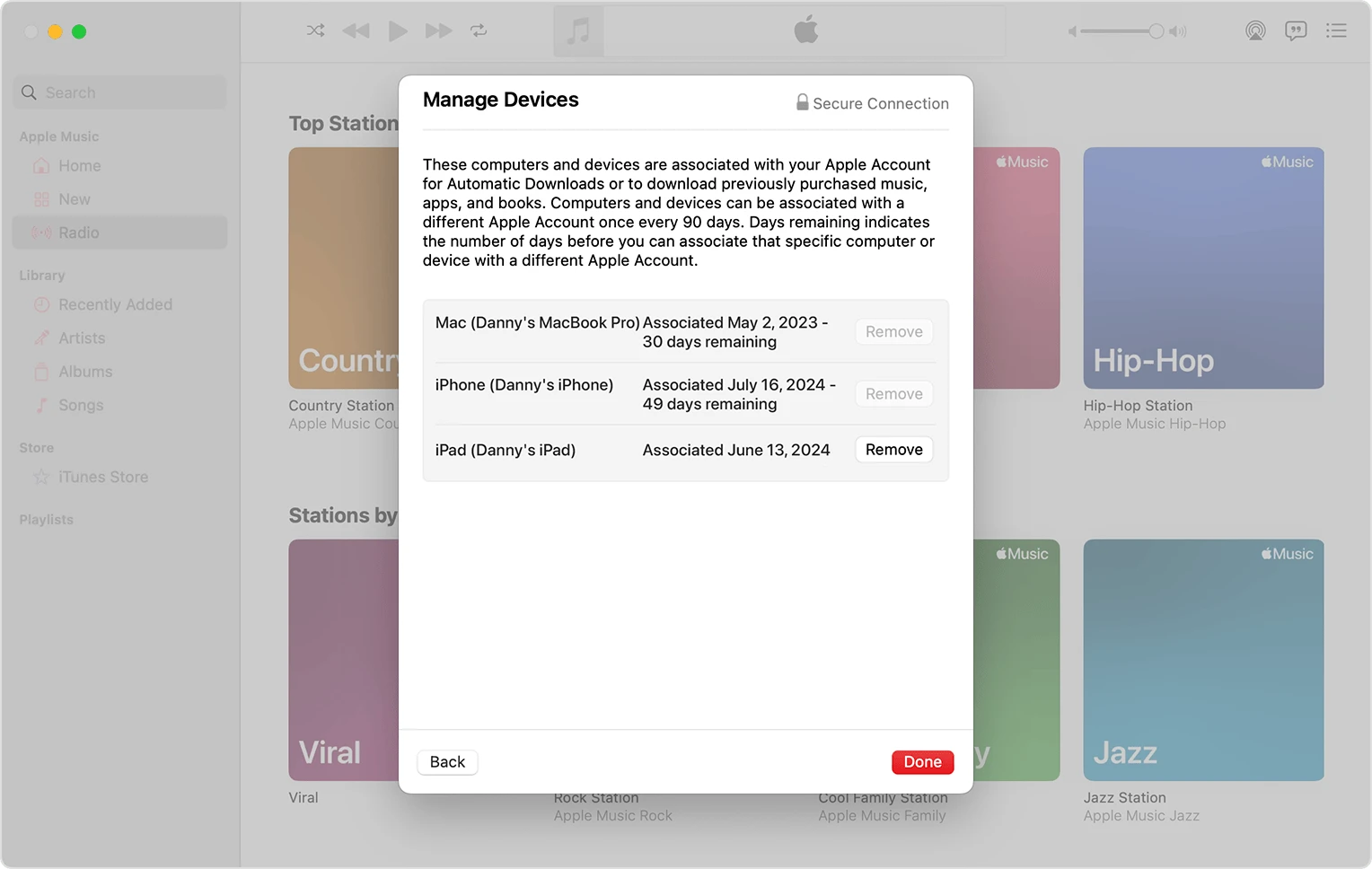
Outcome
The Apple ID is successfully removed from the iPhone or iPad, allowing the device to be configured with a different Apple ID or prepared for reassignment.
Was this article helpful?
That’s Great!
Thank you for your feedback
Sorry! We couldn't be helpful
Thank you for your feedback
Feedback sent
We appreciate your effort and will try to fix the article